
Container Guidelines
Capability containers run inside the Selu Docker network alongside the orchestrator. To keep things secure and performant, follow these guidelines when building your container image.
Networking
Section titled “Networking”- Your gRPC server must listen on port 50051. The orchestrator expects this and maps it automatically.
- Capabilities can make outbound HTTP/HTTPS requests to external APIs. You can control this via the
networksection in yourmanifest.yaml. - Capabilities cannot communicate directly with other capability containers. All inter-capability coordination goes through the orchestrator via
delegate_to_agent. - The orchestrator connects to your container over the internal Docker bridge network. Do not bind to
127.0.0.1— bind to0.0.0.0or[::]. - Containers are placed on separate Docker bridge networks by class:
selu-tools-netfor tool-class capabilities andselu-envs-netfor environment-class capabilities.
Network policies
Section titled “Network policies”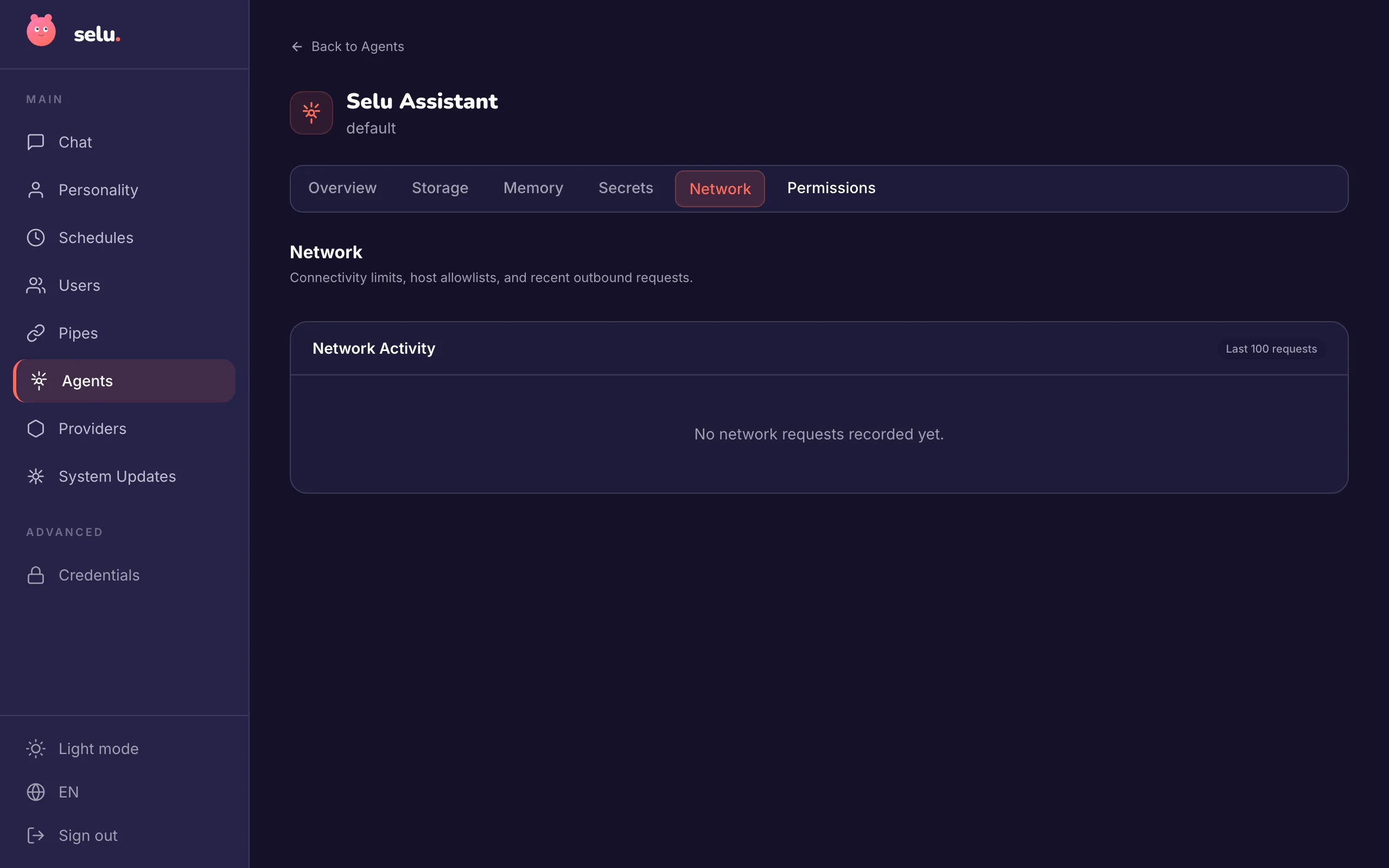
Control outbound network access in your manifest.yaml:
network: mode: allowlist hosts: - "api.openweathermap.org:443" - "*.icloud.com:443" # Wildcard for subdomains - "cdn.example.com" # Any portNetwork modes:
none(default) — No external network accessallowlist— Only listed hosts are accessibleany— Unrestricted access (use with caution)
Wildcard patterns support subdomain matching:
*.example.com:443matchesapi.example.com:443but notexample.com:443*.example.commatches subdomains on any port
The orchestrator runs an egress proxy that logs all outbound requests for security review. Users can see these logs on your agent’s detail page. Each container receives a unique egress proxy auth token for request attribution.
Resource limits
Section titled “Resource limits”The orchestrator enforces resource limits declared in your manifest.yaml. If you don’t declare limits, sensible defaults apply:
| Resource | Default | Recommended Max |
|---|---|---|
| Memory | 128 MB | 1 GB |
| CPU | 0.5 cores | 2 cores |
| Timeout per invocation | 30 s | 120 s |
| PIDs | 64 | 1024 |
| Open files (ulimit nofile) | 256 | 256 |
Image handling for multimodal capabilities
Section titled “Image handling for multimodal capabilities”If your capability sends images to the LLM as part of its tool results, Selu applies a shared normalization pass before those messages reach the provider.
How it works
Section titled “How it works”Before any multimodal message is dispatched to an LLM provider, Selu checks each inline image against the provider’s size limit:
- If the image fits — it’s sent as-is.
- If the image is too large — Selu attempts to downscale and recompress it to JPEG to bring it under the limit. It tries multiple scale factors (down to 20% of original dimensions) and quality levels (down to JPEG quality 35) until it fits.
- If it still can’t fit — the image is omitted entirely and replaced with a short text note so the turn can continue rather than failing.
The size limit depends on the provider:
- Amazon Bedrock: 5 MB per image
- Other providers: 5 MB (same default, applied for safety)
What this means for your capability
Section titled “What this means for your capability”You don’t need to do anything special — normalization is automatic. However, keep a few things in mind:
- Prefer reasonably sized images. Normalization can degrade quality. If your tool produces images, try to keep them under the limit to preserve fidelity.
- Don’t rely on exact pixel dimensions. Downscaled images may differ from the original. If exact pixel data matters to downstream tools, use artifacts instead.
- Omitted images produce a text placeholder. The LLM will see a note like:
"Image omitted: file is too large for model input (limit 5 MB). Ask the user to upload a smaller image."Your capability should handle the case where an image it provided isn’t visible to the model.
Session isolation
Section titled “Session isolation”Selu supports two session models that affect how your capability containers are managed:
Shared sessions (default)
Section titled “Shared sessions (default)”- Multiple conversation threads share the same capability containers
- Container state and workspace data persist across threads
- More resource efficient
- Good for stateless capabilities
Per-thread isolation
Section titled “Per-thread isolation”- Each conversation thread gets dedicated capability containers
- Complete workspace isolation between threads
- Higher resource usage but prevents cross-thread interference
- Essential for stateful capabilities like file managers or development environments
Agents can opt into per-thread isolation by setting session.isolation: per_thread in their agent.yaml. When this is enabled:
- Your capability will receive a unique container for each conversation thread
- Workspace data won’t be shared between different user conversations
- Container lifecycle is tied to the specific thread rather than the user session
Image best practices
Section titled “Image best practices”- Use minimal base images —
python:3.12-slim,golang:1.22-alpine, ordebian:bookworm-slim. Smaller images mean faster installs for users. - Multi-stage builds — Compile in a build stage, copy only the binary/runtime into the final stage.
- Pin versions — Always pin base image tags and dependency versions for reproducibility.
- Non-root user — Run your process as a non-root user. Selu will flag images that run as root during marketplace review.
Example multi-stage Dockerfile:
FROM python:3.12-slim AS builderWORKDIR /appCOPY requirements.txt .RUN pip install --no-cache-dir -r requirements.txt
FROM python:3.12-slimWORKDIR /appCOPY --from=builder /usr/local/lib/python3.12/site-packages /usr/local/lib/python3.12/site-packagesCOPY . .USER 1000EXPOSE 50051CMD ["python", "server.py"]
Security
Section titled “Security”- No host mounts — Capabilities cannot mount host directories. All file access is scoped to the container’s ephemeral filesystem.
- No privileged mode — Containers run unprivileged. Capabilities that need special Linux capabilities will be rejected from the marketplace.
- Credentials via environment variables — Use the
credentialssection inmanifest.yamlto declare required secrets. The orchestrator injects them at startup from the user’s encrypted credential store. Never hard-code secrets. - Orchestrator-injected environment variables — In addition to credentials, every container receives
SELU_SESSION_IDandSELU_CAPABILITY_IDenvironment variables identifying the current session and capability instance. - No inbound ports — Only port 50051 is exposed, and only to the internal Docker network. Capabilities are not accessible from outside the Selu stack.
Workspace isolation considerations
Section titled “Workspace isolation considerations”When designing capabilities for agents that use per-thread isolation, consider:
File system state
Section titled “File system state”- Use
/workspacefor thread-specific files and data - All containers receive a tmpfs mount at
/tmp(64 MB,noexec) regardless of filesystem policy — use it for transient scratch data only - Expect a clean filesystem for each new conversation thread
- Don’t rely on files persisting across different conversations
External state
Section titled “External state”- Use external APIs or databases for state that should persist across threads
- Consider using the agent’s built-in storage tools for simple key-value persistence
- Document any external dependencies clearly in your manifest
Resource cleanup
Section titled “Resource cleanup”- Implement proper cleanup in your capability shutdown handlers
- Don’t leave background processes running after tool invocations
- Use appropriate timeouts for long-running operations
- Stale containers from previous orchestrator runs are automatically cleaned up at startup — do not assume your container will survive an orchestrator restart
Credential declarations
Section titled “Credential declarations”Declare any secrets your capability needs in the credentials section of manifest.yaml. Users will be prompted to enter these during agent setup:
credentials: - name: OPENWEATHER_API_KEY scope: system required: true description: > API key from OpenWeatherMap (https://openweathermap.org/api). Create a free account to get your key. - name: CACHE_REDIS_URL scope: system required: false description: > Optional Redis URL for caching weather data. If not provided, responses will be fetched fresh each time.The orchestrator will inject these as environment variables when starting your container. Always include helpful descriptions — they’re shown to users when they’re setting up the agent.
Credential scopes
Section titled “Credential scopes”system— Shared across all users. Set once by an admin.user— Personal to each user. Each person provides their own API keys.
Choose system for organizational API keys and user for personal accounts.
Health checks
Section titled “Health checks”Implement the Healthcheck RPC from capability.proto. The orchestrator calls this gRPC method during container startup to determine readiness. Once your capability responds with ready: true, the orchestrator considers the container live and begins routing invocations to it.
There is no periodic health monitoring after startup. If a capability fails during an invocation, the error is reported back to the agent — the orchestrator does not automatically restart the container.
Dynamic vs. static tools
Section titled “Dynamic vs. static tools”For capabilities using dynamic tool discovery, your discovery tool has access to configured credentials and can return different tool sets based on what’s available:
def handle_discovery(self, credentials):    tools = [        # Always available        {            "name": "basic_search",            "description": "Basic search functionality",            "input_schema": {"type": "object", "properties": {"query": {"type": "string"}}},            "recommended_policy": "allow"        }    ]
    # Additional tools based on credentials    if "PREMIUM_API_KEY" in credentials:        tools.append({            "name": "premium_search",            "description": "Enhanced search with premium features",            "input_schema": {"type": "object", "properties": {"query": {"type": "string"}}},            "recommended_policy": "ask"        })
    if "ADMIN_TOKEN" in credentials:        tools.append({            "name": "admin_functions",            "description": "Administrative operations",            "input_schema": {"type": "object", "properties": {"action": {"type": "string"}}},            "recommended_policy": "block"        })
    return tools
This allows your capability to adapt its functionality based on what credentials users have configured.
Artifact attachments
Section titled “Artifact attachments”Capabilities can exchange files with agents through the artifact system. This enables tools to process documents, generate files, and pass complex data between capability invocations within the same session.
Receiving artifacts
Section titled “Receiving artifacts”When an agent calls your tool with file attachments, the orchestrator automatically uploads them to your container before calling your tool:
def handle_tool_call(self, tool_name, args, session_id):    if tool_name == "process_document":        # Check for attachments in the tool arguments        attachments = args.get("attachments", [])
        for attachment in attachments:            # Each attachment has metadata about the uploaded file            filename = attachment["filename"]            mime_type = attachment["mime_type"]            size_bytes = attachment["size_bytes"]            capability_artifact_id = attachment["capability_artifact_id"]
            # Use the gRPC DownloadInputArtifact method to get the file data            file_data = self.download_artifact(capability_artifact_id)
            # Process the file...            result = process_file(file_data, mime_type)
Producing artifacts
Section titled “Producing artifacts”Your tools can generate files and return them as artifacts for other tools to use:
def handle_tool_call(self, tool_name, args, session_id):    if tool_name == "generate_report":        # Generate a PDF report        pdf_data = create_pdf_report(args["report_type"])
        # Upload it as an artifact        artifact_id = self.upload_artifact("report.pdf", "application/pdf", pdf_data)
        # Return the artifact metadata in your tool result        return {            "message": "Report generated successfully",            "artifact": {                "filename": "report.pdf",                "mime_type": "application/pdf",                "capability_artifact_id": artifact_id            }        }
Artifact lifecycle
Section titled “Artifact lifecycle”- Artifacts are scoped to the user’s session and automatically expire after 6 hours
- The orchestrator handles all artifact ID management and translation between capabilities
- File size is limited to 5 MB per artifact
- Common MIME types are supported (documents, images, text files, etc.)
Next steps
Section titled “Next steps”See the gRPC Interface for the full proto contract, or walk through the manifest.yaml Reference for complete schema details.