
Telegram
Telegram is a great way to reach your Selu agents from virtually any device. You’ll create a Telegram bot and connect it to Selu — the whole process takes about five minutes.
Step 1: Create a Telegram bot
Section titled “Step 1: Create a Telegram bot”- Open Telegram and search for @BotFather.
- Send
/newbotand follow the prompts to name your bot. - BotFather will give you a bot token — a long string that looks like
123456:ABC-DEF1234ghIkl-zyx57W2v1u123ew11. Copy it and keep it safe.
Step 2: Connect to Selu
Section titled “Step 2: Connect to Selu”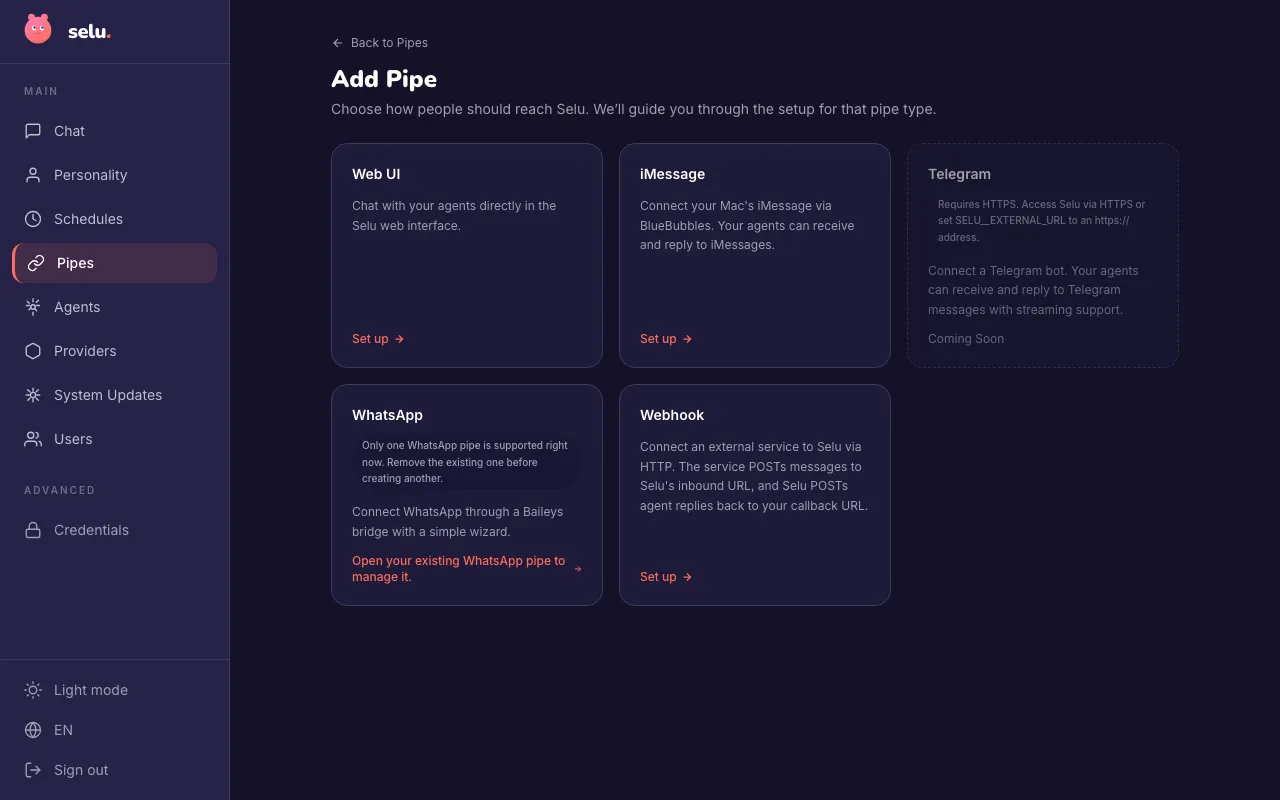
- Open Selu and go to Pipes.
- Click Add Pipe and select Telegram.
- Paste your bot token — Selu verifies it automatically.
- Pick the chat where the bot should listen for messages.
- Save your pipe.
Step 3: Start chatting
Section titled “Step 3: Start chatting”Find your bot in Telegram by searching for the username you chose during setup. Send it a message, and your Selu agent will reply.
Slash commands in Telegram
Section titled “Slash commands in Telegram”Slash commands work in Telegram just like they do in web chat. Send a message starting with / and Selu handles it instantly — no agent turn needed.
Telegram shows a / menu when you tap the command button in the chat input. Selu automatically publishes its commands to this menu in your language, so you don’t need to remember the exact syntax.
| Command | What it does |
|---|---|
/remind <what + when> | Set a one-shot reminder |
/schedule <add/list/delete> | Manage your schedules and reminders |
/help | Show all available commands |
Both the command and Selu’s reply are saved in the conversation, so you can always scroll back to see what you scheduled.
Tool approvals in Telegram
Section titled “Tool approvals in Telegram”When your agents need permission to use tools, Telegram handles approvals through normal chat replies:
Approval flow
Section titled “Approval flow”- Agent needs to use a tool with Ask policy
- You receive a message: “Before I continue: [tool action description]. Reply to approve this action.”
- Reply with “yes”, “approve”, “ok” or similar to allow the tool
- Reply with “no”, “deny”, “cancel” to block it
Smart reply matching
Section titled “Smart reply matching”Telegram’s reply system ensures your approval reaches the right tool request:
- Reply to specific messages: Use Telegram’s reply feature (long-press → Reply) to respond to specific approval requests
- Simple replies when clear: If you have only one pending approval, any chat message with “yes” or “no” will work
- Multiple approvals: When several tools need approval, reply directly to each approval message to avoid confusion
Configuration
Section titled “Configuration”By default, your bot only sees messages that are sent directly to it or that mention it with @botname. In group chats, you can disable privacy mode via BotFather (/setprivacy) if you want the agent to see all messages.
Selu uses webhook mode to receive messages from Telegram with low latency. Your Selu instance needs to be reachable over HTTPS with a valid SSL certificate for this to work.
Troubleshooting
Section titled “Troubleshooting”- Bot not responding — Double-check the bot token in your pipe settings. If you regenerated the token in BotFather, update it in Selu too.
- Webhook errors — Make sure your Selu instance is reachable over HTTPS. Telegram requires a valid SSL certificate for webhooks.
- Commands not showing in the
/menu — Selu registers commands with Telegram when you save the pipe. If they’re missing, try removing and re-adding the pipe to trigger re-registration.
Approval issues
Section titled “Approval issues”If tool approvals aren’t working properly:
- Use Telegram’s reply feature — Long-press the approval message and tap “Reply” rather than just sending a new message
- Check for multiple pending approvals — If several tools need permission, make sure you’re replying to the right approval request
- Use clear approval words — Simple responses like “yes”, “no”, “approve”, “deny” work best
Threading and reply matching
Section titled “Threading and reply matching”If your approval replies aren’t being recognized:
- Always use Telegram’s Reply button when you see multiple approval requests
- Check conversation history — Make sure you’re in the same chat where the approval was requested
- Avoid complex responses — Stick to simple “yes/no” replies for approvals rather than explanations
- One approval at a time — If you’re testing multiple tools, wait for each approval to complete before trying the next