
Anthropic
Anthropic’s Claude models are known for careful reasoning and following instructions well. Selu supports all Claude models available through the Anthropic API.
Getting an API key
Section titled “Getting an API key”- Sign up or log in at console.anthropic.com.
- Navigate to API Keys and click Create Key.
- Give it a descriptive name like “Selu” and copy the key. You won’t be able to see it again.
Connecting to Selu
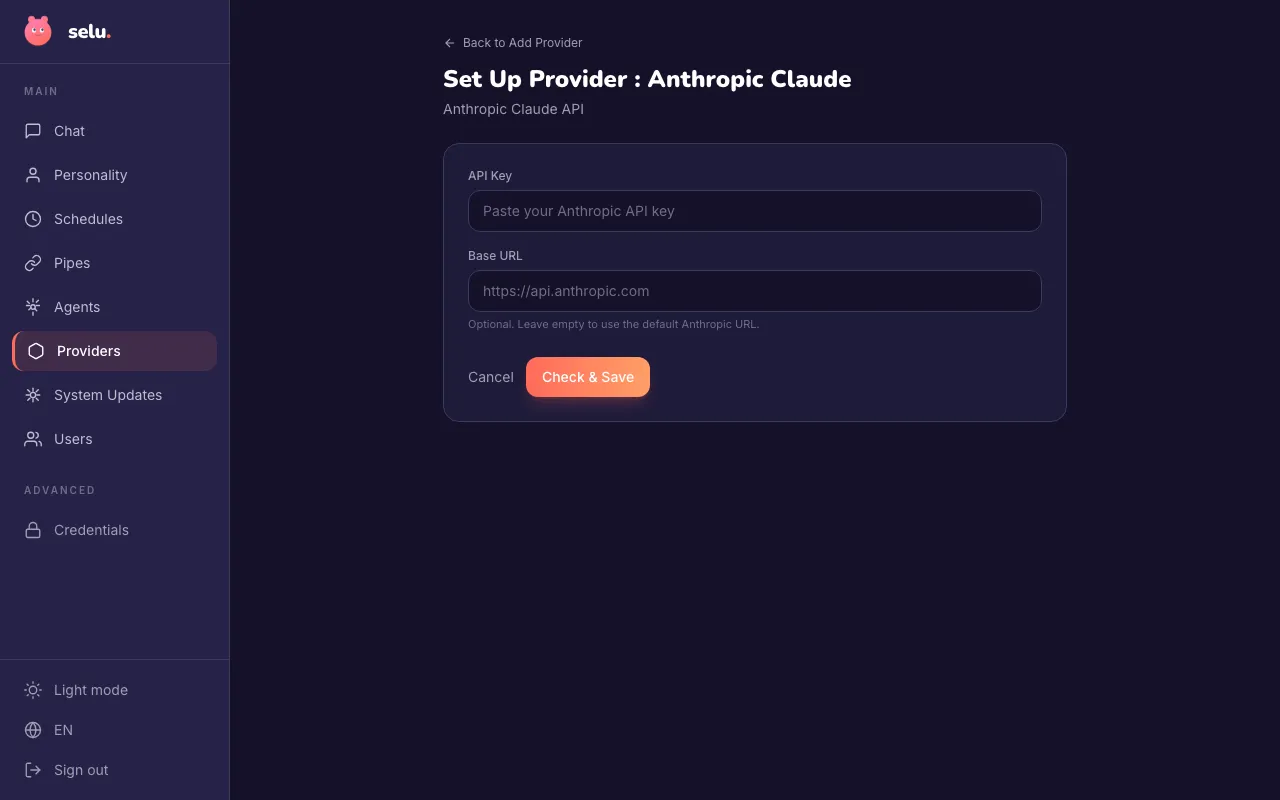
Section titled “Connecting to Selu”- In the Selu sidebar, click Providers.
- Click Add Provider and select Anthropic Claude.
- Paste your API key into the API Key field.
- Leave Base URL empty unless you’re using a custom Anthropic-compatible endpoint.
- Click Check & Save. Selu will verify the key works and save it.
Your API key is encrypted at rest.
Choosing a model
Section titled “Choosing a model”Once connected, you can choose which Claude model your agents use. The model is selected per agent under Agents → (agent name) → Model.
| Model | Best for |
|---|---|
| Claude Sonnet 4 | A great balance of speed and capability. Good for most everyday tasks. Recommended default. |
| Claude Opus 4 | The most capable model for complex reasoning and nuanced writing. Slower and more expensive. |
| Claude Fable | Anthropic’s next-generation reasoning model family. Best for demanding, multi-step tasks. |
| Claude 5 | The latest generation of Claude. Highly capable across a wide range of tasks. |
| Claude 3.5 Haiku | The fastest and most affordable option. Ideal for simple tasks and high-volume use cases. |
Usage and costs
Section titled “Usage and costs”Anthropic charges per token (roughly per word). You can monitor your usage on Anthropic’s console.
Troubleshooting
Section titled “Troubleshooting”- “Invalid API key” — Double-check that you copied the full key. Regenerate it in the Anthropic console if needed.
- Rate limit errors — You may need to request a higher rate limit from Anthropic for heavy usage.
- Slow responses — Larger models (Opus, Fable) are slower. Switch to Sonnet or Haiku if speed is a priority.