
OpenAI
OpenAI’s GPT models are among the most widely used language models available. Selu supports all GPT models accessible through the OpenAI API, including the latest GPT-4o and GPT-5 variants.
Getting an API key
Section titled “Getting an API key”- Sign up or log in at platform.openai.com.
- Go to API Keys in your account settings.
- Click Create new secret key, name it “Selu”, and copy the key immediately.
Connecting to Selu
Section titled “Connecting to Selu”- In the Selu sidebar, click Providers.
- Click Add Provider and select OpenAI.
- Paste your API key into the API Key field.
- Leave Base URL empty to use OpenAI’s default servers.
- Click Check & Save. Selu will verify the key works and save it.
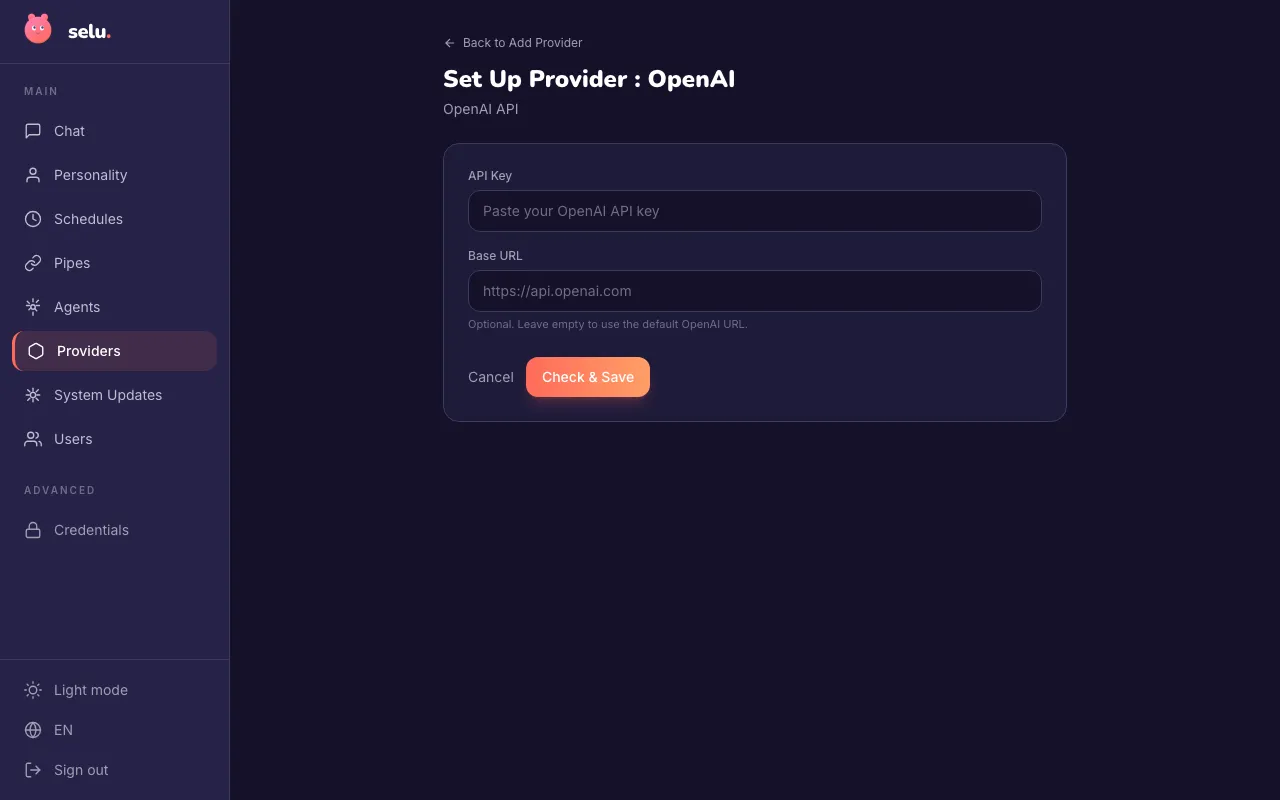
Your API key is encrypted at rest.
Choosing a model
Section titled “Choosing a model”Once connected, you can choose which model your agents use. The model is selected per agent under Agents → (agent name) → Model.
| Model | Best for |
|---|---|
| GPT-4o | OpenAI’s flagship multimodal model. Fast, capable, and supports text and images. Recommended for most use cases. |
| GPT-4o mini | A smaller, faster, and cheaper version of GPT-4o. Great for everyday tasks at lower cost. |
| GPT-5 | OpenAI’s most capable model family. Best for complex reasoning and demanding tasks. |
| o3 | Advanced reasoning model for complex problem-solving, math, and multi-step analysis. |
| o3-mini | A lighter reasoning model that balances capability with speed. |
| o4-mini | Compact reasoning model optimized for efficiency. |
Using an OpenAI-compatible API
Section titled “Using an OpenAI-compatible API”If you’re running a model server that exposes an OpenAI-compatible API (like LM Studio or vLLM), you can point Selu to it by entering the server address in the Base URL field during setup:
http://your-server:8080/v1This works with any server that implements the OpenAI chat completions endpoint.
Troubleshooting
Section titled “Troubleshooting”- “Insufficient quota” — Check your billing settings at platform.openai.com/billing. You may need to add a payment method or increase your spending limit.
- Model not available — Some models require API access approval. Check your account’s model access page.
- Timeout errors — Long responses can sometimes time out. If this happens consistently, try using a faster model.