
Pico AI Server
Pico AI Server is a free macOS app that lets you run over 300 open-source language models on your own hardware. No API keys, no cloud services, no data leaving your machine.
Why use Pico AI Server?
Section titled “Why use Pico AI Server?”- Complete privacy — Your conversations and data stay on your Mac. Nothing is sent to an external service.
- No API costs — Pico AI Server is free. Once you have the hardware, there are no per-token charges.
- No account needed — No sign-up, no API keys. Just install and connect.
- 300+ models — Access a wide range of open-source models through a simple interface.
Setting up Pico AI Server
Section titled “Setting up Pico AI Server”- Download and install Pico AI Server from picoai.app. It’s available for macOS.
- Open the app and download a model you’d like to use.
- Note the server URL shown in the app’s settings — you’ll need it for Selu.
Connecting to Selu
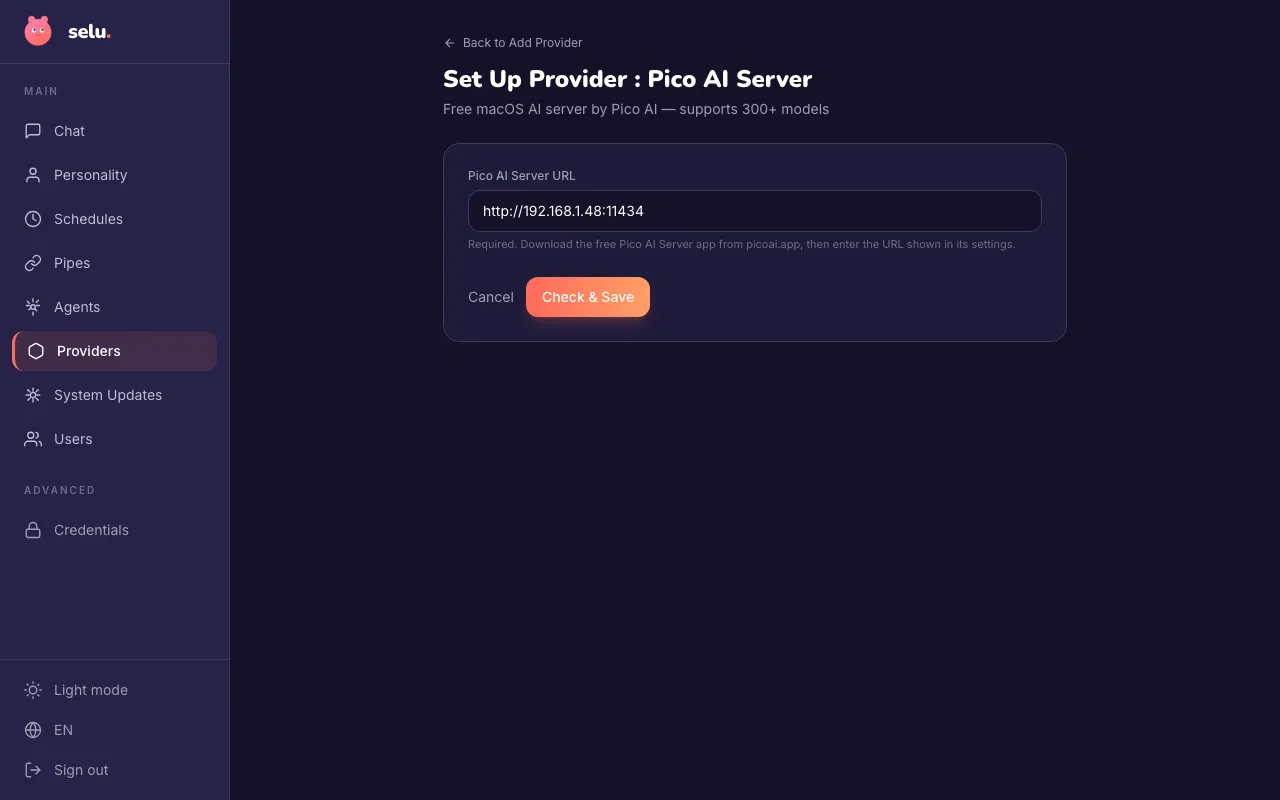
Section titled “Connecting to Selu”- In the Selu sidebar, click Providers.
- Click Add Provider and select Pico AI Server.
- Enter the Pico AI Server URL from the app (e.g.,
http://192.168.1.48:11434). - Click Check & Save. Selu will verify it can reach your Pico server and save the connection.
Choosing a model
Section titled “Choosing a model”Once connected, Selu automatically detects the models available on your Pico server. Select a model per agent under Agents → (agent name) → Model.
The models available depend on what you’ve downloaded in the Pico AI Server app.
Troubleshooting
Section titled “Troubleshooting”- Connection refused — Make sure Pico AI Server is running and the URL is correct. If Selu runs on a different machine, ensure both are on the same network.
- Slow responses — Local model performance depends on your hardware. Try a smaller model if responses are too slow.
- No models showing — Make sure you’ve downloaded at least one model in the Pico AI Server app.